Flutter ListTile Widget: M3 Properties, Theming and Migration (2026)
The flutter listtile widget patterns we ship in production: 30+ constructor parameters worth knowing, Material 3 defaults that shifted, ListTileTheme inheritance, performance rules for long lists and the five ListTile bugs we catch in code review.
Across the ten industries we ship Flutter in, the flutter listtile widget is the row primitive every settings screen, every contact list, every chat thread, every notification feed leans on. The choice between built-in ListTile, one of its variants like CheckboxListTile or SwitchListTile, a hand-rolled Row in a Material wrapper, or a community ListTile package looks small at design time and turns into an accessibility, theming, or performance problem once the app hits real users. This guide covers the flutter listtile widget patterns we actually ship, the constructor parameters most tutorials skip, the Material 3 defaults that shift under teams flipping useMaterial3 to true, and the production-grade fixes worth the read for every developer touching list-based screens.
Two framing notes. The flutter listtile widget covers about 80% of row-style UI when applied with a ListTileTheme. The other 20% (custom shapes, irregular heights, multi-column layouts) is where teams escape to bare Material plus Row, and where most accessibility regressions ship. Second: Material 3 changed enough ListTile defaults (text styles, title alignment, selected-state color, state-driven theming) that a useMaterial3 flip on an existing app will visibly shift every list. Read the M3 section below before merging.
When the flutter listtile widget is the right primitive to reach for
ListTile ships with Flutter as a first-class Material widget, no package needed. It exposes a leading slot, a title, an optional subtitle, a trailing slot, and an onTap callback. For 80% of row-style UI (settings screens, contact lists, notification feeds, chat message previews) it is the right answer. The reason to reach for anything else is almost always one of four specific needs: a stateful variant (Checkbox plus Switch plus Radio), an expandable row, swipe-to-dismiss, or a layout the ListTile padding and height contract simply cannot reach.
The pattern that bites teams in code review every single week: skipping ListTile and writing a custom Row with Padding to get pixel-exact spacing. That custom row almost always loses the 48dp minimum tap target, the built-in InkWell ripple, the implicit Semantics that names this row to a screen reader, and the dense or visualDensity hooks that let the system shift heights for accessibility settings. We have audited apps where every settings row was a hand-rolled Row, and re-fixing accessibility cost more than the original layout work would have on day one. The cleanup pattern across recent codebase audits looks the same: identify every hand-rolled row, replace with ListTile or one of its variants, wrap any decorative leading icon in ExcludeSemantics, set explicit selected and isThreeLine props where needed, and remove the manual GestureDetector that was duplicating ListTile.onTap. The work is mostly mechanical but the screen-reader experience improvement is dramatic on every audit pass we have run.
Deep on the ListTile constructor: what each parameter does and when to set it
The flutter listtile widget exposes substantially more configuration than the typical tutorial ever covers. Most tutorials show four ListTile parameters and stop there. The widget exposes 30-plus, and a handful of them earn their keep on every production build. Worth knowing in detail:
| Parameter | What it controls | When we set it |
|---|---|---|
| leading + trailing | Widget on left and right of the row | Always — these define the row anatomy |
| title + subtitle | Primary and secondary text | Title always; subtitle when row has descriptive context |
| isThreeLine | Whether the subtitle can wrap to a third line | When subtitle holds two-paragraph content (88dp height contract) |
| contentPadding | Override the 16dp horizontal default | When nesting inside a Card with its own padding |
| minLeadingWidth | Force leading-icon alignment across mixed rows | Mixed avatar + icon rows in the same list |
| dense / visualDensity | Compact rendering for tight lists | Settings list with 30+ rows; use visualDensity on M3 |
| selected + selectedColor + selectedTileColor | Visual selected state | Multi-select pickers, currently-active row in a list |
| shape | ListTile shape — usually rounded under M3 | Custom corner radius via RoundedRectangleBorder |
| onTap + onLongPress | Gesture callbacks | Every interactive row; onLongPress for context menus |
| enabled | Disable the row visually and functionally | Read-only contexts; preserves Semantics correctly |
Material 3 changed these flutter listtile widget defaults — read before flipping the flag
Setting useMaterial3: true on a ThemeData built around the Material 2 ListTile contract will shift every list visibly across the app. Six things change at once and worth covering in detail. First, three new text style properties (titleTextStyle, subtitleTextStyle, leadingAndTrailingTextStyle) replace the M2-era pattern of styling text inside the title widget. Second, the new titleAlignment property controls how leading and trailing widgets align relative to a multi-line title with three options (threeLine, titleHeight, center). Third, textColor and iconColor accept WidgetStateColor for state-driven theming across selected and disabled and pressed states. Fourth, selected state paints with secondaryContainer rather than the M2 grey overlay. Fifth, dense behaves as visualDensity: compact. Sixth, the default shape on M3 ListTileTheme is rounded at 12dp instead of the M2 sharp-corner default.
ThemeData(
  useMaterial3: true,
  listTileTheme: ListTileThemeData(
    titleTextStyle: const TextStyle(fontSize: 16, fontWeight: FontWeight.w500),
    subtitleTextStyle: const TextStyle(fontSize: 14),
    leadingAndTrailingTextStyle: const TextStyle(fontSize: 14),
    titleAlignment: ListTileTitleAlignment.threeLine,
    iconColor: WidgetStateColor.resolveWith((states) {
      if (states.contains(WidgetState.selected)) return Colors.deepPurple;
      if (states.contains(WidgetState.disabled)) return Colors.grey;
      return Colors.black87;
    }),
    selectedColor: Colors.deepPurple,
    selectedTileColor: Colors.deepPurple.withOpacity(0.08),
    minLeadingWidth: 32,
    contentPadding: const EdgeInsets.symmetric(horizontal: 16, vertical: 4),
    shape: const RoundedRectangleBorder(
      borderRadius: BorderRadius.all(Radius.circular(12)),
    ),
  ),
);
ListTile vs custom Row vs the variants: the decision matrix we apply on every screen
| Use case | ListTile | CheckboxListTile | SwitchListTile | ExpansionTile | Custom Row in Material |
|---|---|---|---|---|---|
| Settings row with chevron disclosure | Yes: best fit | No | No | No | No |
| Multi-select picker | No | Yes: best fit | No | No | No |
| Notification on/off toggle row | No | No | Yes: best fit | No | No |
| Collapsible FAQ section | No | No | No | Yes: best fit | No |
| Chat thread row (avatar + name + preview + time) | Yes: best fit | No | No | No | Only when ListTile cannot fit |
| Bespoke pixel-exact layout | No | No | No | No | Yes — but re-add Semantics and tap target |
ListTileTheme: getting consistent styling across every screen without per-call overrides
Almost every ListTile property has a corresponding ListTileThemeData entry. The pattern is the highest-leverage theming move on any Flutter codebase with more than a handful of list-row screens. Set them once in ThemeData.listTileTheme and every list in the app inherits, including ListTiles inside Card and Drawer widgets, plus BottomSheet and Dialog wrappers. The biggest gain: when design tweaks the leading icon color from one shade to another, you change one line in the theme rather than every call site. Two properties that move the visual polish needle: shape (round the row corners under M3 to match Card and BottomSheet radii at 12dp), and selectedTileColor (the M3 secondaryContainer fill at low opacity is the right visual cue for a selected row).
Per-screen overrides via ListTileTheme widget inherit unset values from the global theme, which makes selective customization clean. This is the right pattern when one specific screen wants tighter rows than the app default. Wrap that screen subtree in a ListTileTheme with visualDensity: VisualDensity.compact and your contentPadding override; everything else inherits from ThemeData. We use this on dense settings screens where the default 56dp height feels wasteful given the user is scanning 30-plus toggle rows.
Performance: ListTile in long lists is where most Flutter apps jank on Android
Accessibility: what flutter listtile widget guarantees and what it doesn't
ListTile is the most accessible row primitive in Flutter. It enforces a 48dp minimum tap target, emits a single Semantics node per row by default, announces the row as a button when onTap is set, and inherits the system's text scaling. That is more than most custom Row implementations ship with on day one. The simplest accessibility upgrade on most Flutter apps we audit: wrap every list with MergeSemantics at the row level and ExcludeSemantics on every decorative icon. Two lines of code per row, and the screen-reader experience moves from unusable to acceptable in one pass. The three gaps that catch teams in code review:
| Gap | Symptom | Fix |
|---|---|---|
| Decorative leading icons announced separately | Screen reader reads icon name before row title | Wrap leading in ExcludeSemantics; or MergeSemantics on the row |
| Trailing chevron read as a separate button | Two interactive announcements for one tap target | ExcludeSemantics on decorative trailing |
| Selected state not announced | Screen reader does not say 'selected' on the current row | Use ListTile selected: true (not just selectedTileColor) |
| Three-line content overflow at large text scales | Text clips silently at scale 1.3+ | Set isThreeLine: true explicitly |
Migrating the ListTile widget from Material 2 to Material 3
If you are flipping useMaterial3: true on an existing app, walk this checklist before merging. The first four items move screenshots; the last two prevent silent regressions in theming behavior.
| M2 pattern | M3 replacement | Notes |
|---|---|---|
| TextStyle inside title: Text(style: ...) | titleTextStyle on ListTileThemeData | Single source of truth; survives theme switches |
| Custom selected highlight via Container wrap | selectedColor + selectedTileColor on ListTile | Inherits M3 secondaryContainer; respects state |
| dense: true | visualDensity: VisualDensity.compact | Forward-compatible; future M4 may deprecate dense |
| Static iconColor for all states | WidgetStateColor.resolveWith on iconColor | Selected and disabled plus pressed states unified |
| Manual height via SizedBox wrapper | titleAlignment + visualDensity | Lets the framework manage 56/72/88 dp contract |
| Trailing IconButton with own Semantics | Trailing Icon + ExcludeSemantics | One Semantics node per row, not two |
The five flutter listtile widget bugs we see in code review every month
| Bug | Symptom | Fix |
|---|---|---|
| RenderFlex overflow on small fonts | Two-paragraph subtitle clips at the bottom at text-scale 1.3+ | Set isThreeLine: true |
| dense vs visualDensity confusion | dense: true silently sets visualDensity, overriding theme defaults | Use only visualDensity on M3 codebases |
| Infinite-height layout exception in Column | ListTile throws unbounded constraint errors | Use ListView or wrap in Expanded/Flexible |
| Switch in trailing slot collapses tap target | Only the 36dp switch is tappable | Use SwitchListTile |
| Nested GestureDetector interferes with onTap | onTap fires on long-press of subtitle | Move gesture handling to onLongPress; do not nest |
For the ten ListTile patterns and variants we ship most often across recent client builds, see our companionguide to the top ten Flutter list tile widgets. For how list-row patterns fit into a production Flutter app (state plus performance plus CI/CD coverage) our Flutter mobile app development field guide covers the practices we apply on every build.
Common questions about the flutter listtile widget
What is the flutter listtile widget?
ListTile is the built-in Material row primitive. It exposes a leading slot, a title, an optional subtitle, a trailing slot, and an onTap callback. It enforces a 48dp tap target, a built-in InkWell ripple, the right Semantics for screen readers, and the M3 height contract (56dp one-line, 72dp two-line, 88dp three-line). Most settings screens, contact lists, chat threads, and notification feeds use it as their row primitive.
What is isThreeLine in ListTile?
isThreeLine: true tells ListTile to use the 88dp height contract instead of the default 72dp. Use it whenever the subtitle could wrap to a second visible line. Without it, two-paragraph subtitles clip at the bottom on text-scale 1.3 or above. This is the single most common ListTile layout bug we see in code review.
How do I make a Flutter ListTile rounded?
Set shape: RoundedRectangleBorder(borderRadius: BorderRadius.circular(N)) on the ListTile or on ListTileThemeData. The M3 default for medium containers is 12dp; for tight settings rows we use 8dp. Combine with selectedTileColor to get a rounded selected highlight that matches M3 Card and BottomSheet styling.
Why does my Flutter ListTile throw a layout exception?
ListTile expects bounded width but a free Column inside a Column or inside a Scaffold body can give unbounded vertical constraints. For more than one row, switch to ListView or ListView.builder. For a single row in a Column, wrap in Flexible or set a SizedBox with explicit height.
What changed in Material 3 for ListTile?
Six things. Three new text style properties (titleTextStyle, subtitleTextStyle, leadingAndTrailingTextStyle), a new titleAlignment property with three options, WidgetStateColor support on textColor and iconColor, selected state paints with secondaryContainer rather than the M2 grey overlay, dense behaves as visualDensity: compact, and the M3 default shape on ListTileTheme uses a 12dp rounded rectangle.
How do I improve ListTile performance in long lists?
Three rules. Use ListView.builder, not ListView with a children list. Wrap each ListTile in a RepaintBoundary when rows hold images. const-ify static children (Icon, Text, SizedBox). That combination takes a 500-row contact list from 38fps to 60fps on a mid-range Android device.
Is ListTile accessible by default in Flutter?
Mostly. ListTile emits a single Semantics node, enforces a 48dp tap target, announces the row as a button when onTap is set. The three gaps: wrap decorative leading icons in ExcludeSemantics, wrap trailing chevrons the same way, and set selected: true (not just selectedTileColor) so screen readers announce the selected state. Two lines per row, screen-reader experience moves from unusable to acceptable.
What is dense in ListTile?
dense: true gives a tighter row by reducing vertical padding. On M3, dense is functionally equivalent to visualDensity: VisualDensity.compact. Pick visualDensity for forward-compatible code; dense is a legacy shortcut that still works but may be deprecated in a future Material spec.

Top 10 Best Flutter List Tile Widgets: Patterns, Variants and M3 Migration (2026)
Top 10 Flutter ListTile widgets for clean rows with leading and trailing icons, titles, and subtitles — with code examples and GetWidget's GFListTile.
Flutter CheckboxListTile: Tristate, FormField Integration and M3 (2026)
The flutter checkboxlisttile patterns we ship in production: tristate select-all, FormField + validator integration, controlAffinity rules, Material 3 defaults that shifted, plus the five CheckboxListTile bugs we catch in code review.
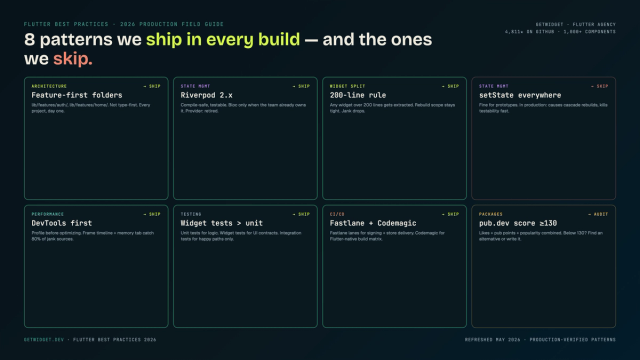
Flutter Mobile App Development: A 2026 Production Field Guide
How we structure Flutter projects at GetWidget in 2026: feature-first layout, Riverpod defaults, Dart 3 records and sealed classes, Material 3 theming, the 200-line widget rule, performance diagnosis, CI/CD pipelines, and the production pitfalls that bite teams after launch.

Flutter Card Widget: Material 3 Variants, Elevation and M3 Migration (2026)
The flutter card widget patterns we ship in production: when Card.elevated / Card.filled / Card.outlined wins, the M3 surface tint and 12dp radius defaults, tappable Card with InkWell, and the five Card bugs we catch in code review.