Flutter CheckboxListTile: Tristate, FormField Integration and M3 (2026)
The flutter checkboxlisttile patterns we ship in production: tristate select-all, FormField + validator integration, controlAffinity rules, Material 3 defaults that shifted, plus the five CheckboxListTile bugs we catch in code review.

Across the ten industries we ship Flutter in, the CheckboxListTile shows up on every onboarding flow, every permission picker, every multiselect contact list, and every settings screen that needs a row to toggle. The choice between a CheckboxListTile, a hand-rolled Row holding a plain Checkbox, or a Form-wrapped FormField looks like a style question at design time and turns into an accessibility, state-management, or validation problem once the app hits real users. This guide walks through the flutter checkboxlisttile patterns we actually ship, the tristate behavior most tutorials skip, the FormField integration that makes validation honest, and the Material 3 defaults that shift under teams flipping useMaterial3 to true.
Two framing notes. CheckboxListTile is built into Flutter. No package, no extra dependency, and the framework ships every prop a real form needs. The mistake we see most often in code review is teams reach for a community package because the docs do not surface the tristate or the FormField bridge clearly. Both are first-party. Second: M3 changed how Checkbox renders under CheckboxListTile (rounded corner radius, smaller default size, different focused-state overlay), and that one upgrade flip shifts every form-style screen visibly. Read the M3 section below before merging the useMaterial3 flag.
When CheckboxListTile is the right primitive (and when it isn't)
Use CheckboxListTile any time a row has a single boolean toggle and the entire row should be tappable. That covers permission pickers, settings rows, multiselect contact pickers, terms-and-conditions agreements, and bulk-action toolbars where the user selects items. The reason to escape to a custom Row with a plain Checkbox is almost never about layout. It is about needing a Checkbox bound to a Form with validators, in which case the right answer is FormField wrapping a CheckboxListTile rather than abandoning the widget. The cost of skipping CheckboxListTile is paid forever in regression risk and a11y patches on every form screen.
The pattern that bites teams: a Row with a plain Checkbox and a Text, hand-tied with an onTap on the parent GestureDetector. The plain Checkbox loses the M3 Checkbox defaults inherited from CheckboxThemeData. The GestureDetector emits a separate Semantics node from the Checkbox, so a screen reader announces 'checkbox' and 'tap area' as two interactive elements. The 48dp tap target rule gets broken silently because Row does not enforce it. Three regressions for two minutes of saved code.
| Need | Use | Why |
|---|---|---|
| Single boolean row in settings | CheckboxListTile | 48dp tap target, ripple, Semantics, theming: all built in |
| Multiselect filter or contact picker | CheckboxListTile | Whole row is tappable. controlAffinity respects platform |
| Form field that needs validation (terms, agree-to-x) | FormField wrapping CheckboxListTile | Pulls into Form.validate() with the rest of the form fields |
| Parent 'select all' across a list | CheckboxListTile with tristate: true | Built-in three-state cycle handles indeterminate state |
| Inline checkbox in a paragraph of text | Checkbox inside Wrap | CheckboxListTile is a full row; inline checks need raw widget |
| Bespoke shape (rounded card, gradient background) | InkWell + Row with Checkbox.adaptive | Lose the row contract intentionally; re-add Semantics and tap-target |
The CheckboxListTile anatomy our review checklist uses
CheckboxListTile takes a value (true, false, or null), an onChanged callback, a title widget, an optional subtitle, and an optional secondary widget that fills the slot opposite the checkbox. The controlAffinity prop drives where the checkbox sits: leading puts it on the left (typical for multiselect lists), trailing puts it on the right (typical for iOS-style settings), and platform picks based on the host OS. The default is platform, which matches user expectations on each OS automatically.
CheckboxListTile(
  value: state.allowNotifications,
  onChanged: (v) => state.toggleNotifications(v ?? false),
  title: const Text('Push notifications'),
  subtitle: const Text('Order updates, delivery, support replies'),
  secondary: const Icon(Icons.notifications_outlined),
  controlAffinity: ListTileControlAffinity.trailing,
  // Whole row is the tap target — including the icon and subtitle.
);
Two properties that earn their keep on production builds: dense (use visualDensity in M3 instead — same effect, forward-compatible) and selectedTileColor (a faint tinted background on checked rows, anchored to ColorScheme.secondaryContainer under M3). Both can be set globally via ListTileThemeData and CheckboxThemeData so individual call sites stay clean.
Tristate: the false / true / null cycle most tutorials skip
Setting tristate: true on a CheckboxListTile unlocks a third value: null. The cycle is false to true to null to false on each tap. The use case is the parent 'select all' checkbox on a list where some but not all children are selected. The parent shows the indeterminate (null) state visually as a dash, and a tap from there goes back to false to clear the selection. This is the Material 3 spec for bulk-action surfaces, and the framework ships it built in.
bool? _parentValue() {
  if (items.every((i) => i.selected)) return true;
  if (items.every((i) => !i.selected)) return false;
  return null;  // indeterminate — at least one but not all
}

CheckboxListTile(
  tristate: true,
  value: _parentValue(),
  title: const Text('Select all'),
  onChanged: (v) => setState(() {
    final next = v ?? false;
    for (final i in items) { i.selected = next; }
  }),
);
Two gotchas we see in code review. First, the cycle goes false to true to null on tap — but the indeterminate state is meant to be computed by your code, not selected by the user. In practice we never let the onChanged callback set null directly; we always compute it from the underlying selection. Second, the default rendering of null shows a dash inside the checkbox box. Designers sometimes ask for a partially-filled checkmark instead — that requires a custom Checkbox or a CheckboxListTile wrapped in a Theme override.
FormField integration: the validator pattern most tutorials skip
Most CheckboxListTile tutorials show value-and-onChanged with raw setState. That works for settings, but breaks down on signup flows where the checkbox is one of many fields the Form.validate() call needs to verify. Wrap the CheckboxListTile in FormField<bool> and the field plugs into the surrounding Form like any TextFormField. Form.validate() runs the validator, AutovalidateMode.onUserInteraction shows errors after the first tap, and Form.save() collects all field values in one call.
FormField<bool>(
  initialValue: false,
  validator: (v) => (v ?? false) ? null : 'You must agree to continue',
  builder: (field) => Column(
    crossAxisAlignment: CrossAxisAlignment.start,
    children: [
      CheckboxListTile(
        value: field.value,
        onChanged: (v) => field.didChange(v),
        title: const Text('I agree to the Terms of Service'),
        controlAffinity: ListTileControlAffinity.leading,
      ),
      if (field.hasError)
        Padding(
          padding: const EdgeInsets.only(left: 16, top: 4),
          child: Text(field.errorText!, style: const TextStyle(color: Colors.red)),
        ),
    ],
  ),
);
Three production tips around FormField integration. First, AutovalidateMode.onUserInteraction on the parent Form is the right default — errors only appear after the user has touched the field once, not on initial render. Second, the error Padding above is manual; in apps where we have ten-plus form fields, we build a CheckboxFormField wrapper widget once and reuse it. Third, async validation (a remote 'did you read terms' check, or a captcha) ships via FormField.didChange combined with a parent setState; do not put async logic inside validator itself, which must return synchronously.
Material 3 changes that catch teams upgrading
Flipping useMaterial3: true changes how CheckboxListTile renders in five ways. First, the Checkbox itself shrinks: M2 size was 18dp, M3 default is 16dp with a 2dp border. Second, the checked-state fill uses ColorScheme.primary by default rather than the M2 accent color. Third, the rounded corner radius on the checkbox box is now 2dp (was 1dp) — small visual delta but designers notice. Fourth, the focused-state ring is a colored Material outline rather than the M2 grey halo. Fifth, the default size of the checkbox can also be driven via ThemeData.visualDensity, which scales every checkbox in the app together.
ThemeData(
  useMaterial3: true,
  checkboxTheme: CheckboxThemeData(
    fillColor: WidgetStateProperty.resolveWith((states) {
      if (states.contains(WidgetState.selected)) return Colors.deepPurple;
      if (states.contains(WidgetState.disabled)) return Colors.grey.shade300;
      return Colors.transparent;
    }),
    checkColor: WidgetStateProperty.all(Colors.white),
    side: const BorderSide(width: 1.5, color: Colors.black54),
    shape: const RoundedRectangleBorder(
      borderRadius: BorderRadius.all(Radius.circular(4)),
    ),
    visualDensity: VisualDensity.compact,
  ),
);
CheckboxListTile in long lists: performance and the rebuild trap
Accessibility: what CheckboxListTile guarantees and what it doesn't
CheckboxListTile emits a single Semantics node per row, announces the value as 'checked' or 'not checked' (or 'mixed' under tristate), enforces a 48dp tap target, and routes the onChanged callback through Material's gesture system. That is more than a custom Row plus Checkbox setup ships with. The two gaps we see in code review:
| Gap | Symptom | Fix |
|---|---|---|
| Title and secondary icon announced separately | Screen reader reads 'notifications icon' then 'Push notifications, not checked' | Wrap secondary in ExcludeSemantics — the icon is decorative |
| Tristate 'mixed' state vague to screen reader | Some screen readers announce 'mixed' without context | Pair with a subtitle that explains: 'Select all (3 of 12 selected)' |
| Selection error in Form not associated with field | Validation error shows below but not linked to the checkbox | Use FormField with Semantics.value: error message; assistive tech links them |
| Long-press behavior absent | iOS users expect long-press for context menu on items | Add onLongPress via the FormField builder, not on CheckboxListTile (which lacks the prop) |
The five CheckboxListTile bugs we see in code review every month
| Bug | Symptom | Fix |
|---|---|---|
| tristate without computed parent value | Tapping cycles through null even when there is no selection state to represent | Compute parent value from children; never let null appear from a user tap |
| onChanged passed null | Whole CheckboxListTile renders disabled even though it should be tappable | onChanged: null disables the widget; pass an empty closure to keep enabled |
| controlAffinity mismatch across screens | Some rows have checkbox left, some right — looks inconsistent | Set ListTileControlAffinity in a constant; apply per platform via Theme.of(context).platform |
| Validation error renders below row but blocks tap | User taps the error text expecting it to clear the error — nothing happens | Wrap error Padding in IgnorePointer; clearing comes from the next checkbox tap |
| Stateful checkbox rebuilds its parent list | Toggling one row rebuilds 500 — framerate drops | Lift state to a ValueNotifier / Provider; per-row ListenableBuilder isolates rebuilds |
For the ListTile primitive that underlies CheckboxListTile, plus the other variants (SwitchListTile and RadioListTile and ExpansionTile), see ourguide to flutter list tile widgets. For how form-style checkboxes fit into a production Flutter app (state plus validation and CI/CD coverage) our Flutter mobile app development field guide covers the practices we apply on every build.
Common questions about the Flutter CheckboxListTile widget
What is flutter checkboxlisttile used for?
CheckboxListTile combines a Checkbox with a ListTile-shaped row. It is the right widget any time a row has a single boolean toggle and the whole row should be tappable. Permission pickers, settings rows, multiselect contact lists, and terms-and-conditions agreements are the most common uses. It ships with a 48dp tap target, the right Semantics for screen readers, and the M3 Checkbox defaults inherited from CheckboxThemeData.
What is the tristate property for?
tristate: true unlocks a third value (null) on the checkbox. The cycle becomes false to true to null to false on each tap. The intended use is the parent 'select all' checkbox over a list where some but not all children are selected — the parent shows the indeterminate state as a dash. Compute the null value from the underlying selection rather than letting it come from user taps directly.
How do I validate a CheckboxListTile in a Form?
Wrap it in FormField<bool>. The FormField plugs into the surrounding Form so Form.validate() runs the validator, Form.save() collects all field values, and AutovalidateMode.onUserInteraction shows errors after the first tap. Inside FormField.builder, render a CheckboxListTile with value: field.value and onChanged: field.didChange, plus a manual error Padding below for the error text.
What is controlAffinity in CheckboxListTile?
controlAffinity picks where the checkbox sits relative to the title. Three options: leading puts the checkbox on the left (typical for Material multiselect lists), trailing puts it on the right (typical for iOS-style settings), and platform picks based on the host OS (default). Use platform unless your design system pins one side explicitly.
How do I disable a CheckboxListTile?
Pass onChanged: null. The widget renders in the disabled state with reduced opacity and the checkbox cannot be tapped. The catch: if you want the widget to look enabled but ignore taps, pass onChanged: (v) {} (an empty closure) — that keeps the styling but absorbs the gesture.
What changed in Material 3 for CheckboxListTile?
Five things. The Checkbox itself shrinks (16dp default vs 18dp in M2), the checked-state fill uses ColorScheme.primary, the rounded corner radius goes to 2dp, the focused-state ring is a colored Material outline, and CheckboxThemeData accepts WidgetStateProperty for state-driven theming. The ListTile portion also inherits the M3 changes from ListTileThemeData (different selected color, different default text styles).
How do I improve CheckboxListTile performance in a long list?
Three rules. Use ListView.builder, not ListView with a children list. Lift state to a ValueNotifier or Provider so per-row toggles do not rebuild the parent. const-ify static children (title Text, secondary Icon). That combination takes a 500-row contact picker from 42fps to 60fps on a mid-range Android device.
Why does my CheckboxListTile look disabled when it should be active?
onChanged is null. CheckboxListTile treats a null onChanged as the disabled state — opacity drops and taps are ignored. To keep the widget enabled but a no-op on tap (rare, but happens in read-only review screens), pass an empty closure: onChanged: (v) {} instead of onChanged: null.

Top 10 Best Flutter List Tile Widgets: Patterns, Variants and M3 Migration (2026)
Top 10 Flutter ListTile widgets for clean rows with leading and trailing icons, titles, and subtitles — with code examples and GetWidget's GFListTile.
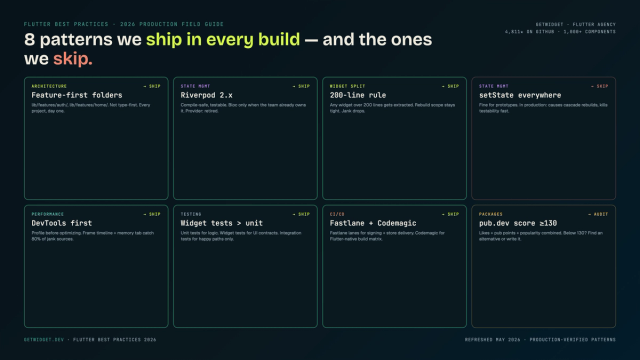
Flutter Mobile App Development: A 2026 Production Field Guide
How we structure Flutter projects at GetWidget in 2026: feature-first layout, Riverpod defaults, Dart 3 records and sealed classes, Material 3 theming, the 200-line widget rule, performance diagnosis, CI/CD pipelines, and the production pitfalls that bite teams after launch.

Top 10 Best Flutter Toggle Widgets: Switch, SegmentedButton and M3 (2026)
Top 10 Flutter toggle switch widgets for on/off controls — animated transitions, customization patterns, and GetWidget's GFToggle with code samples.
How to Design Custom Flutter Buttons in 2026: A Practitioner Guide to All 5 M3 Button Widgets
Flutter button widgets in 2026: the five Material 3 button classes (Filled, FilledTonal, Elevated, Outlined, Text), ButtonStyle deep-dive, GFButton when M3 isn't enough, FAB and IconButton patterns, M2 migration map, plus the accessibility and performance bars no tutorial covers.