AI Integration for Business: Where It Pays Off (and Where It Doesn't)
AI integration for business in 2026: where it pays off, where it fails, and the IBM/Deloitte numbers behind the gap. Five real integration patterns with 569Xlvalue, plus the five things the 5% of pilots that ship have in common.
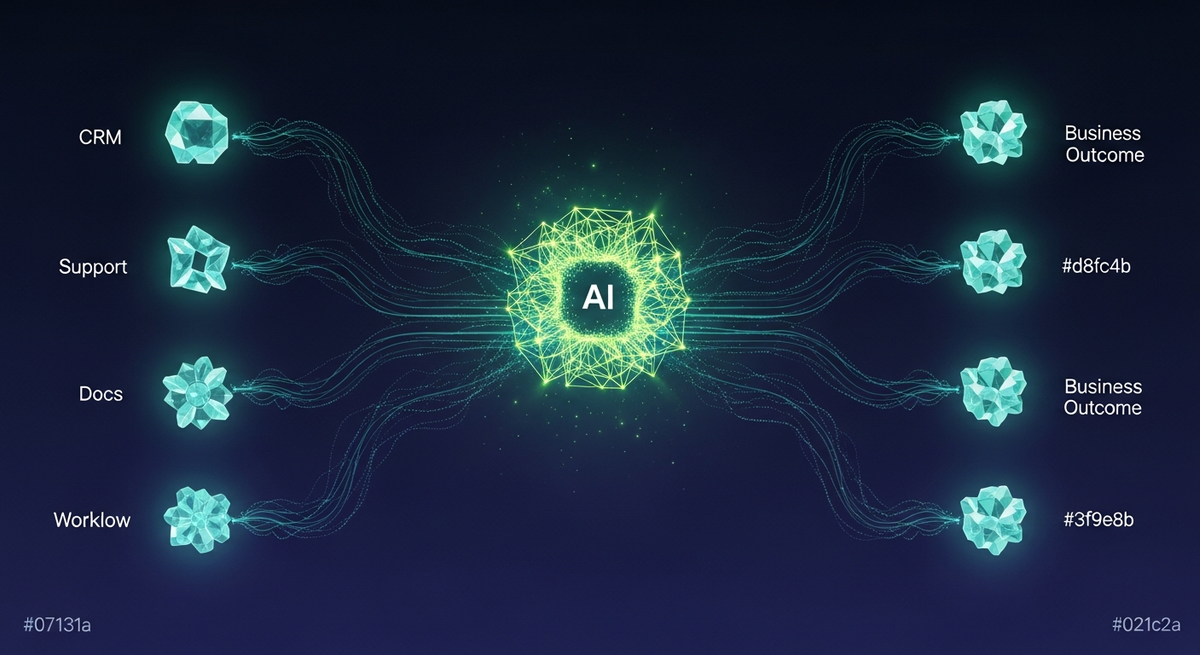
Most articles covering AI integration for business give you a list of use cases and a vague call to "start small." Our team has spent the last three years shipping production integrations across healthcare, fintech, legal, and ecommerce, and we've learned which patterns return real dollars and which ones stall in pilot purgatory.
This guide runs through five specific integration patterns, puts numbers on each one, and maps a phased path from $3K audit through to continuous improvement. The goal is a decision framework, not a vendor comparison or a hype piece.
Why business AI integration fails before it starts
The failure mode we see most often is scope collapse: a team spends three months building an AI feature that duplicates something an existing SaaS already ships. They've paid custom development costs for a commodity capability. The second failure mode is metric blindness: they ship, get positive user sentiment, and never instrument the actual output quality. Six months later, hallucinations erode trust and the project is quietly retired.
Our approach to enterprise AI integration starts with an audit, not a build. Before writing a line of code, we map three things: which workflows have measurable latency or error costs today, where structured data already exists that a model can consume, and what the regulatory exposure is if the model gets something wrong. That audit scope is what makes a $3K engagement worth doing before a $10-25K pilot.
CRM AI integration: lead scoring and call summarization in Salesforce and HubSpot
CRM integrations are among the highest-ROI starting points for mid-market teams because the data is already structured. Contact records, deal stages, email threads, call transcripts. A model doesn't need to ingest raw documents; it reads fields and generates a structured output that slots back into the CRM.
Two patterns we've shipped in Salesforce and HubSpot environments: automated lead scoring and post-call summarization. Lead scoring uses a classification prompt trained on historical closed-won/lost data. The prompt receives deal attributes and returns a score from 0-100 with a rationale string that reps can read. Our pilots have hit 65-72% alignment with rep judgment on held-out deals within the first four weeks.
Post-call summarization is even simpler to instrument: pass the call transcript to the model with a structured output schema (problem, next steps, sentiment, follow-up date), write the result to a custom Salesforce field, and ship it. Time savings are measurable. A 45-minute discovery call distills to a 6-field summary in under 3 seconds at $0.04/query. A team running 20 calls per day saves roughly 1.5 rep-hours daily.
That 25% IBM number maps onto our own pipeline cleanly. Of the AI integration scopes we have audited in the last 18 months, the ones that shipped were almost all CRM-adjacent or summarization-adjacent, structured data already in place. The ones we killed in the audit phase were almost all autonomous customer decisioning inside regulated industries, where the latency on the eval loop alone made the project uneconomical. The model was rarely the problem either way.
Support chatbot integration: Zendesk and Intercom with real deflection rates
Support chatbot integration is the pattern most teams attempt first because the business case is obvious: deflect tickets, reduce agent handle time, keep CSAT steady. The execution is where most teams go wrong.
The common mistake is grounding the chatbot on a raw knowledge base dump without curating for retrieval quality. We've seen corpora where 40% of the articles are outdated, duplicate, or internally contradictory. Feeding that to a model gives you a confident-sounding chatbot that gives wrong answers. The audit phase identifies which KB articles are safe to serve, which need a human review gate, and which should never be returned automatically.
Deloitte's 2026 State of AI in the Enterprise survey puts enterprise GenAI implementation above 80% and board-defensible ROI below 35%. The gap usually lives in this exact step. A team buys the vector database and the LLM API in week one; nobody owns the corpus by week six. The result is a chatbot that confidently cites a 2022 policy document and tells a customer the wrong refund window.
When the KB is clean, deflection rates of 35-50% on Tier-1 tickets are achievable without degrading CSAT. Our Intercom deployments use a two-stage routing pattern: the model attempts an answer; if confidence is below threshold, it routes to a human with a pre-filled context summary so the agent doesn't re-read the conversation. The handoff alone cuts average handle time by 2-3 minutes on routed tickets.
| Query type | Recommended handling | Rationale | |
|---|---|---|---|
| Billing / account changes | Always human | Direct routing with summary | Sensitive, audit trail required |
| How-to / feature questions | AI-first | Model answers; escalate if low confidence | Highest deflection ROI, low risk |
| Bug / outage reports | AI triage, human resolve | Model classifies severity, routes to eng queue | Speed matters; AI classifies faster than manual |
| Refund requests | AI-assisted, human decision | Model drafts response with policy excerpt; human approves | Policy compliance and authorization boundary |
Internal RAG over docs: Confluence, Notion, and Google Drive pipelines
Retrieval-augmented generation (RAG) over internal documents is the AI integration use case with the deepest enterprise interest right now, and for good reason. Every organization has institutional knowledge locked in wikis, SOPs, and shared drives that nobody actually reads. A well-built RAG pipeline surfaces the right document at query time and generates a grounded answer with source citations.
On a 1,840-document corpus across three client deployments, our best-performing pipeline hit 88% top-3 recall with Claude Opus 4. That means 88% of user queries returned the correct source document in the top 3 results before generation. GPT-4o on the same corpus scored 71%. The gap came from how each model handled multi-hop questions that required reasoning across two documents rather than fetching one. The full scoring contract behind that 88% — Ragas metrics, cross-judge protocol, cost-per-query co-axis — is in our RAG benchmark methodology.
Stack for our standard RAG deployments: document ingestion via the source API (Confluence REST, Notion API, Google Drive SDK), chunking with overlap tuned per doc type, embeddings stored in pgvector, retrieval via cosine similarity with a re-ranker pass. The re-ranker step adds roughly 200ms of latency but improves precision by 12-15 percentage points on our test sets. We keep total p95 latency under 1.2s including generation.
88% top-3 recall on 1,840 documents. That's the number we hold our RAG pipelines to before any production deployment goes live.
Access control is the hardest part of enterprise RAG, not the model selection. If your Confluence has space-level permissions, your RAG pipeline needs to honor them. We implement permission filtering at the retrieval layer: every user query carries the caller's identity, and the vector search is filtered to only chunks the user could access in the source system. This adds complexity but is non-negotiable for legal, HR, and finance document corpora.
Workflow automation: Zapier, n8n, and Make with LLM hooks
For teams that aren't ready for custom integration infrastructure, Zapier, n8n, and Make are a practical starting point for AI integration use cases. Each platform now has native LLM step types: you can pass a Zap's payload to a GPT-4o or Claude API call, parse the structured output, and route it to the next action. No custom server required.
We've seen four workflow automation patterns produce consistent returns: inbound email triage (classify → route → draft reply), form response enrichment (contact form fills enriched with company data before entering CRM), content moderation queues (flag for human review vs. auto-approve), and weekly report generation from structured data sources. Each of these can be prototyped in Zapier inside a day and ported to n8n for cost reduction once proven.
The limitation of Zapier-native LLM steps is prompt control. You get a text input and a text output; you cannot enforce structured JSON output schemas the way you can with the API directly. For workflows where the output needs to reliably populate a CRM field or trigger a conditional branch, we move to a custom function endpoint that wraps the model call with proper output parsing and retry logic. The n8n or Make workflow calls that function as an HTTP step.
Fast to prototype. No code required. Limited output control. Higher per-task cost at volume. Best for: validating whether a workflow pattern is worth building.
Full control over prompt, output schema, retry logic, and audit logging. Requires a small deploy surface. Lower per-call cost at volume. Best for: production workflows with structured outputs or compliance requirements.
Eval-first ai integration for business: the $3K audit to $10-25K pilot path
Our engagement structure is designed to derisk AI integration for business by separating discovery from build. The $3K audit takes two weeks and produces a prioritized integration map: which workflows are technically feasible, what the data readiness gaps are, and what a realistic pilot scope looks like. Teams that skip this step almost always waste pilot budget on the wrong thing.
The $10-25K pilot is a 4-6 week build that takes the audit's highest-priority item to a working production integration. Not a demo, not a prototype. An actual deployed integration with an eval harness, audit logging, and a handoff document. The pilot budget variation depends on integration complexity: a Zendesk chatbot on a clean KB is at the low end; a RAG pipeline over a multi-source document corpus with permission filtering is at the high end.
After the pilot, teams that want continuous improvement move to a $5-25K/month retainer. That covers model updates (providers ship new versions every few months and each one needs an eval pass), retrieval index maintenance as documents change, prompt tuning as user query patterns drift, and monitoring on production accuracy metrics. Business AI integration is not a one-time project; it's an ongoing system.
For context against industry benchmarks: a standard enterprise AI deployment runs 16-28 weeks from kickoff to first production deployment and lands somewhere between $250K and $900K in year-one spend across subscriptions, integration work, training, and change management. Our pilot path is not a competitor to that scope. It is a derisking layer before the commitment. Spending $13-28K to learn whether one integration produces measurable lift beats spending $400K to learn the same thing in month nine of an enterprise rollout.
AI integration ROI: how to put numbers on it before you build
AI integration ROI is measurable, but only if you instrument the right baselines before the integration goes live. The three numbers that matter: time saved per workflow execution, error or escalation rate before and after, and token cost at the expected query volume.
For the call summarization example: 45-minute call yields a 6-field summary in 3 seconds at $0.04/query. A team doing 20 calls per day spends $0.80/day in token cost and recovers roughly 1.5 rep-hours. At $40/hour fully loaded rep cost, that's $60/day in time recovered against $0.80/day in cost. The ratio holds even if you 5x the token cost assumptions.
For RAG over internal docs: the measurable output is search-to-resolution time for internal queries. Before RAG, employees with a complex compliance question spend 15-20 minutes searching Confluence and still escalate 30% of the time. After a well-built RAG pipeline, resolution time drops to 2-4 minutes with a 12% escalation rate on our measured deployments. The dollar value depends on query volume and employee cost, but the efficiency gain is consistent.
Where AI integration does not produce strong ROI: creative content generation at scale without human review, autonomous customer-facing decisions in regulated industries, and any workflow where the correct answer cannot be verified programmatically. These patterns require more human-in-the-loop infrastructure than they save.
One factor outside the model itself drives more ROI variance than most clients want to hear: technical debt in the source systems the AI depends on. IBM research published in early 2026 put a 29% ROI improvement on AI projects that started with a technical-debt cleanup pass in the underlying data pipelines. We have watched this directly. RAG over a Confluence space that has not been pruned in three years produces meaningfully worse answers than RAG over a 200-page curated subset of the same content. The integration code is identical. The corpus is the difference.
Why 95% of AI pilots never reach production
Industry analysts converge on roughly 95% of AI pilots failing to reach production. The number sounds catastrophic until you trace what counts as a pilot in those reports. Much of it is one engineer building a weekend demo, never instrumented against the existing workflow, never tied to a business metric anyone agreed on. The 5% that ship have five things in common, and none of them is 'we picked the right model.'
First, a real baseline. Before any model call, the team measured how long the existing workflow took, how often it produced the right answer, what it cost in dollars or staff hours. The pilot then has to clear that bar by a specific margin to be allowed into production. We require this in every audit. The teams that skip the baseline have no way to argue for a go-live decision when the moment arrives.
Second, someone owns the evals, and it is not the engineer who built the integration. A separate stakeholder, usually the team lead who will inherit the workflow, defines what 'right' looks like on 50 to 200 representative inputs. That eval suite re-runs on every model swap. The teams that skip this never know whether their April model upgrade quietly broke the support routing until June, when complaints pile up.
Third, the scope is one workflow, not a platform. Pilots that aim for 'we will roll out RAG across the whole company' die in committee. Pilots that aim for 'we will cut Tier-1 support average handle time by 30% on this one product line' ship and survive. Workflow specificity is the single best predictor we have seen for whether a pilot becomes a production system.
Fourth, a stop-loss rule defined before the work starts. If metric X has not hit threshold Y by week Z, the pilot ends. This sounds obvious. It almost never happens in practice. We have seen pilots zombie for nine months on the back of 'let's try one more prompt iteration.' The teams that ship are the teams willing to kill their own work on a date they agreed to in writing.
Fifth, workflow redesign rather than workflow replication. The 5% that ship treat the integration as a chance to redesign the work from input to outcome, not a chance to paste a model into the existing process. Across the 2026 enterprise surveys including Deloitte's, workflow redesign keeps coming up as the highest-correlation factor with measurable AI ROI. The model is the cheap part. The redesign is the work.
What our integration stack looks like in practice
We're model-agnostic by design. Our delivery team routes workloads between Claude, OpenAI, and open-source models based on the eval results for that specific corpus and task. There's no reason to be loyal to a single provider when the cost-accuracy tradeoffs shift with every model release.
Every production integration we ship has four mandatory components: an eval harness with a representative test set, an audit log of every model call and output (required for regulated industries and useful for everyone), a human escalation path with a defined confidence threshold, and a monitoring dashboard that tracks output quality over time rather than just uptime. For workloads that cross into agent territory, the harness expands to the six-axis rubric in our AI agent reliability evaluation writeup.
The GetWidget open-source UI kit (4,811 stars, 23K monthly pub.dev downloads, 1,000+ components) underpins our mobile-facing integrations when clients need a Flutter front-end on top of an AI backend. It ships a complete component system so the integration team isn't rebuilding UI primitives on every engagement.
One area where we've seen clients try to cut corners: skipping the audit log to save storage cost. We've seen this create serious problems during incident reviews and compliance audits. The storage cost of a structured audit log for a moderate-volume integration is under $5/month on most cloud providers. It's not a meaningful budget item, and the absence of logs becomes a very expensive problem the first time something goes wrong.
Which integration to prioritize first
The right first integration is the one with a measurable baseline, structured existing data, and low regulatory risk. Support chatbot deflection and CRM call summarization meet all three criteria for most mid-market teams. RAG over internal docs is slightly harder to scope but often has the largest knowledge-unlocking effect for organizations with mature documentation practices.
Workflow automation via n8n or Make is a good entry point for teams that want to validate the concept before committing to a custom integration. The tooling exists, the cost is low, and you get a working prototype in a day. The risk is treating the prototype as a production system without adding the eval harness and monitoring layer.
For teams shipping mobile applications alongside their AI backend, our experience withflutter best practices for production apps informs how we structure the client-side layer of integrations. The AI layer and the mobile presentation layer need consistent latency contracts: if your model call takes 1.2s, your app's loading state needs to handle that gracefully rather than showing a blank screen.
The backend architecture that supports AI integrations also shares patterns with high-throughput API design. Teams building their first AI integration often find that their existingnode.js examples for async processing and streaming responses translate directly to the patterns needed for model API calls and SSE streaming to the client.
How long does an AI integration pilot typically take?
Our standard pilot runs 4-6 weeks for a single integration pattern. Discovery audit (2 weeks) precedes the build. Teams that want faster timelines usually have well-documented data and an internal champion who can unblock access decisions quickly.
What's the minimum data volume needed for a RAG deployment?
We've run successful RAG evals on corpora as small as 200 documents. Quality matters more than quantity: 200 clean, current documents outperform 2,000 documents with significant outdated or conflicting content. The audit identifies which documents belong in the retrieval index.
Which model should we use for our integration?
We select models based on eval results on your specific corpus and task. Our team runs Claude, OpenAI, and open-source options on your test set and recommends based on recall, latency, and cost at your expected query volume. There's no universal best model for enterprise AI integration.
What audit logging is required for regulated industries?
At minimum: every model call (prompt, output, timestamp, model version, caller identity) stored in an append-only log with 90-day retention. For HIPAA-adjacent workloads we recommend 7-year retention, encryption at rest, and access logging on the log store itself. We configure this during the pilot build.
Can we switch models after the pilot without rebuilding everything?
Yes, if the integration is built with abstraction at the model call layer. We always wrap the model API behind a thin interface so you can swap providers by changing a config value rather than rewriting the integration. The eval harness then validates the swap before it goes to production.


LLM Development Services: 11 Companies Scored on Eval, Pricing + Audit (2026)
A rubric-driven look at LLM development vendors. Eval methodology, deployment patterns, pricing transparency, and how to score them on the same criteria.

The Best AI Chatbots in 2026: A Practitioner Comparison
Top AI chatbots in 2026 compared by workload. Coding, research, writing, long-context, multimodal, cost — practitioner picks with current benchmarks.
Is Cursor AI Worth It? An Honest Review After 6 Months in Production
Six months of Cursor in production: 2026 update covering Composer 2, background agents, Hooks, MCP, the June 2025 pricing reset, real cursor vs Copilot team cost math, and where Continue.dev fits as the open-source alternative.